
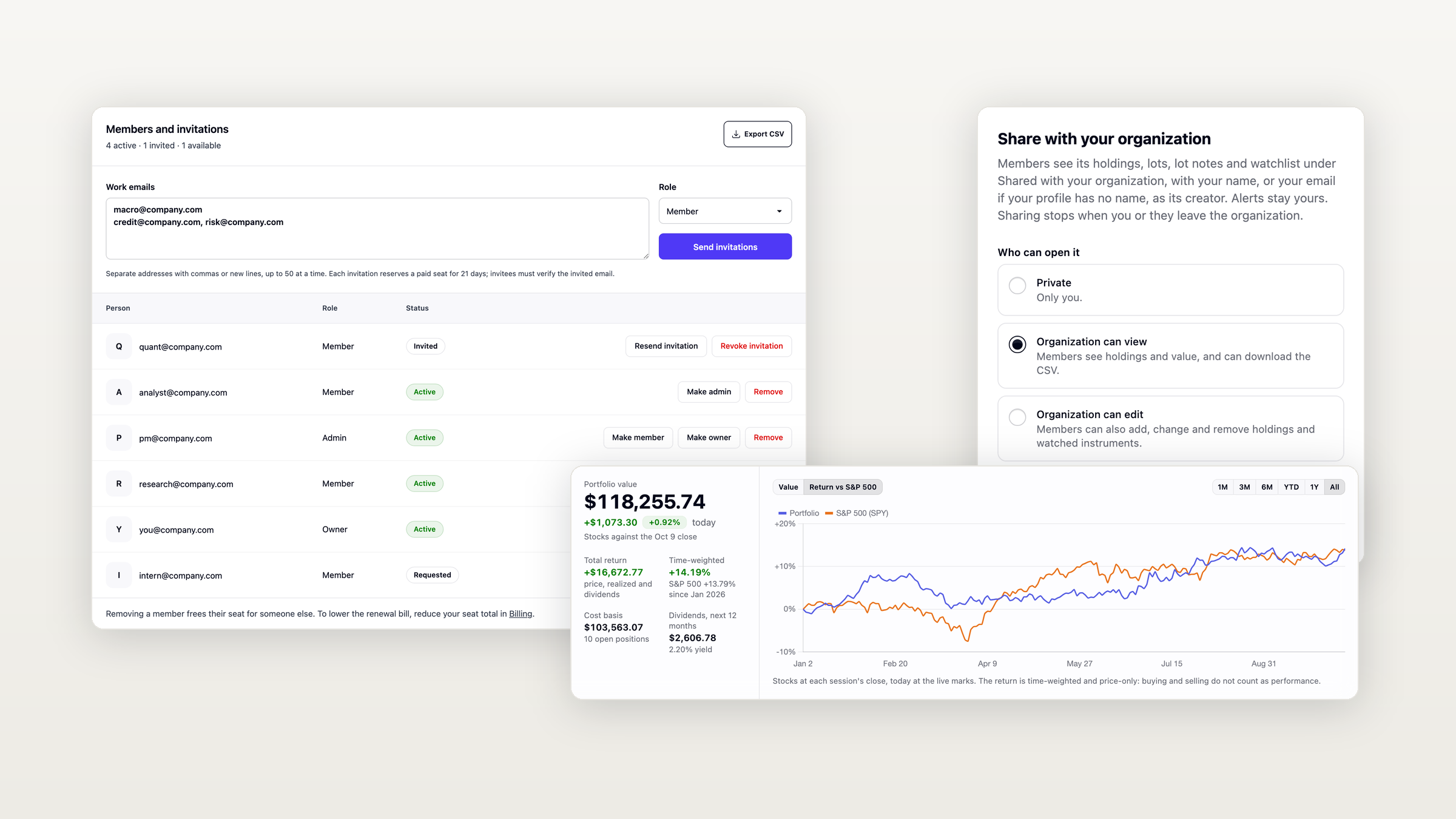
Equibles now works for teams. One Pro subscription covers your whole organization, billed per seat on one invoice, and every portfolio opens on a new dashboard with your returns and the dividends still to come.
One Pro plan for your whole team
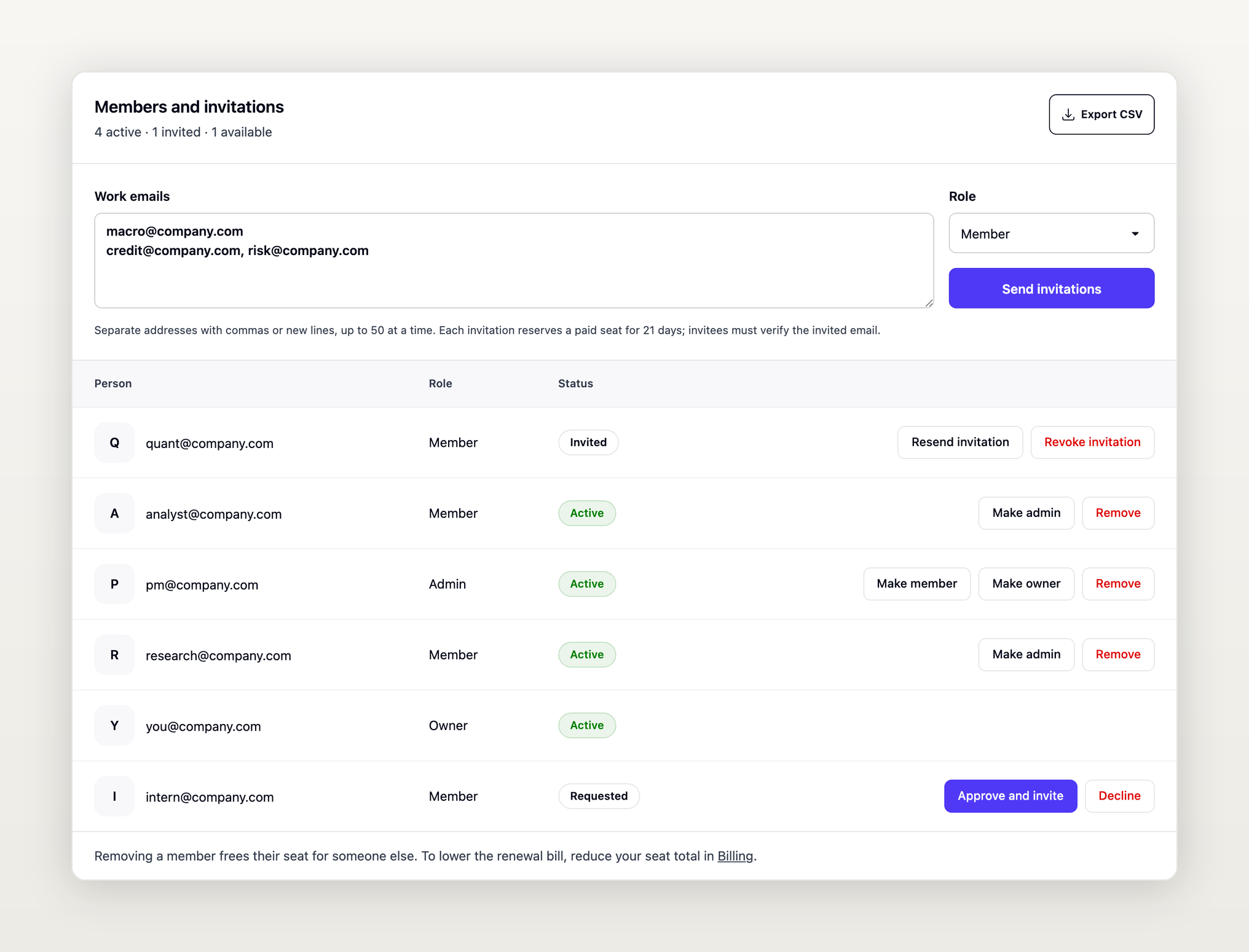
Create an organization from your dashboard and invite your colleagues. Each member gets a full Pro seat at the regular Pro price, and an organization needs at least two paid seats.
- Invite in bulk: paste up to 50 work emails at once. If you need more seats, you buy them in the same step.
- Or share one link: it works for 30 days. When no seat is free, people ask to join and an admin approves them.
- Roles: owners and admins manage members, seats and billing; members use Equibles as usual.
- Exports: download the member list and each member's usage as CSV.
The organizations guide covers every step.
Company sign-in with Entra ID, Okta or Google Workspace
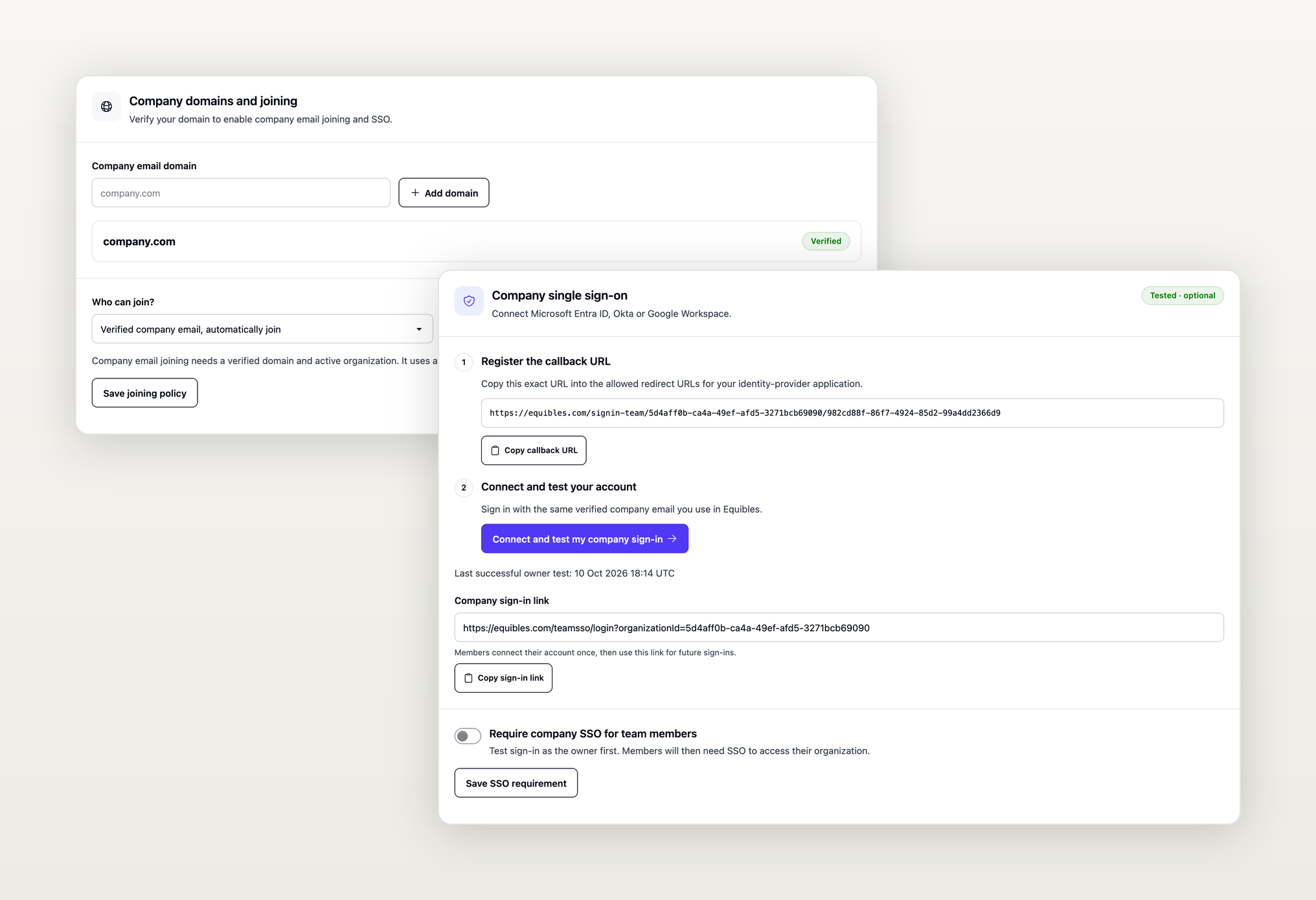
Verify your company domain, connect your identity provider and test the sign-in on your own account. Then choose whether colleagues join automatically and whether everyone must use company sign-in.
Share portfolios with your team
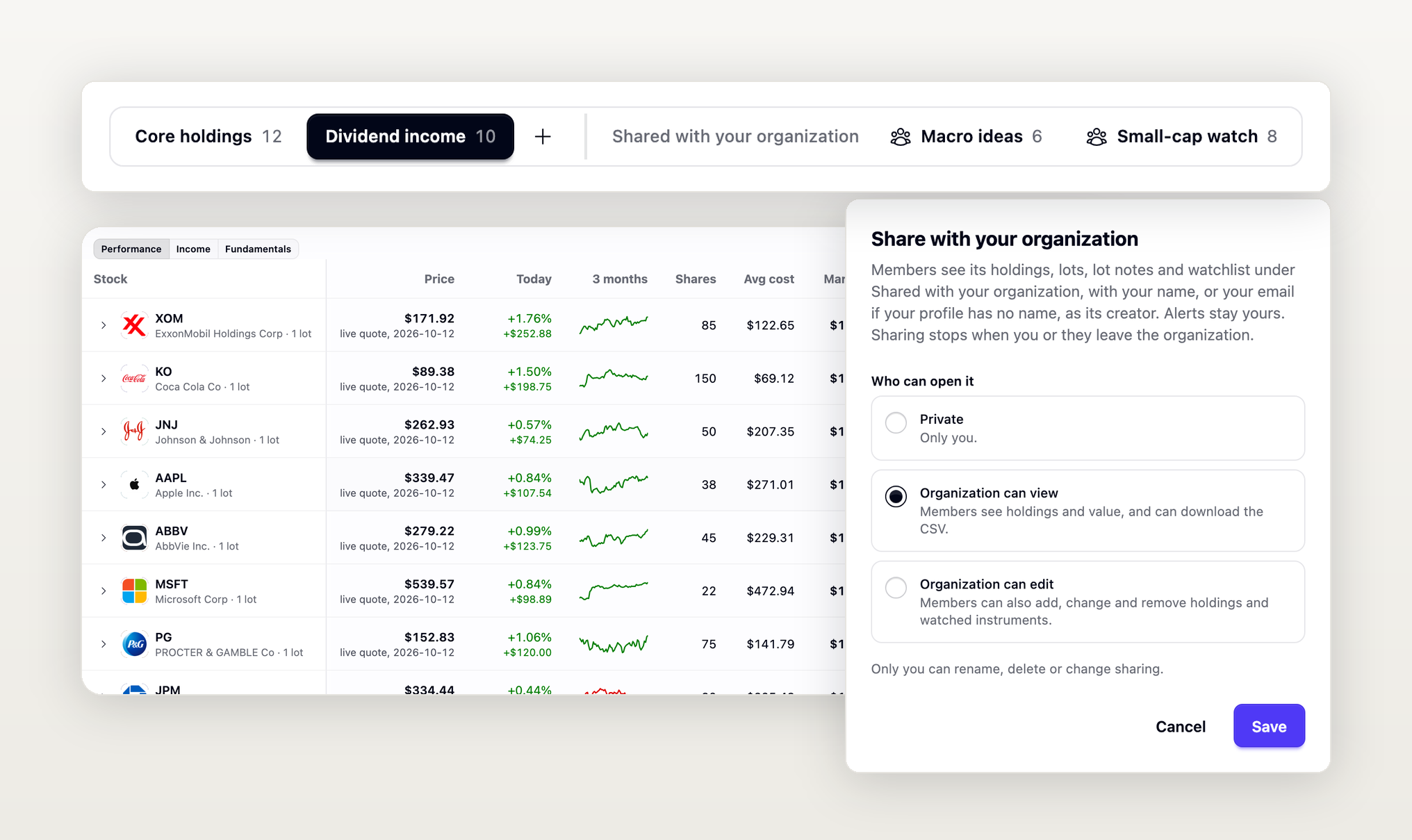
Share any portfolio so colleagues can view it, or edit it too. Shared portfolios appear under "Shared with your organization", and your AI and your code reach them through the MCP server's portfolio tools and the REST API's portfolio endpoints.
Organization API keys
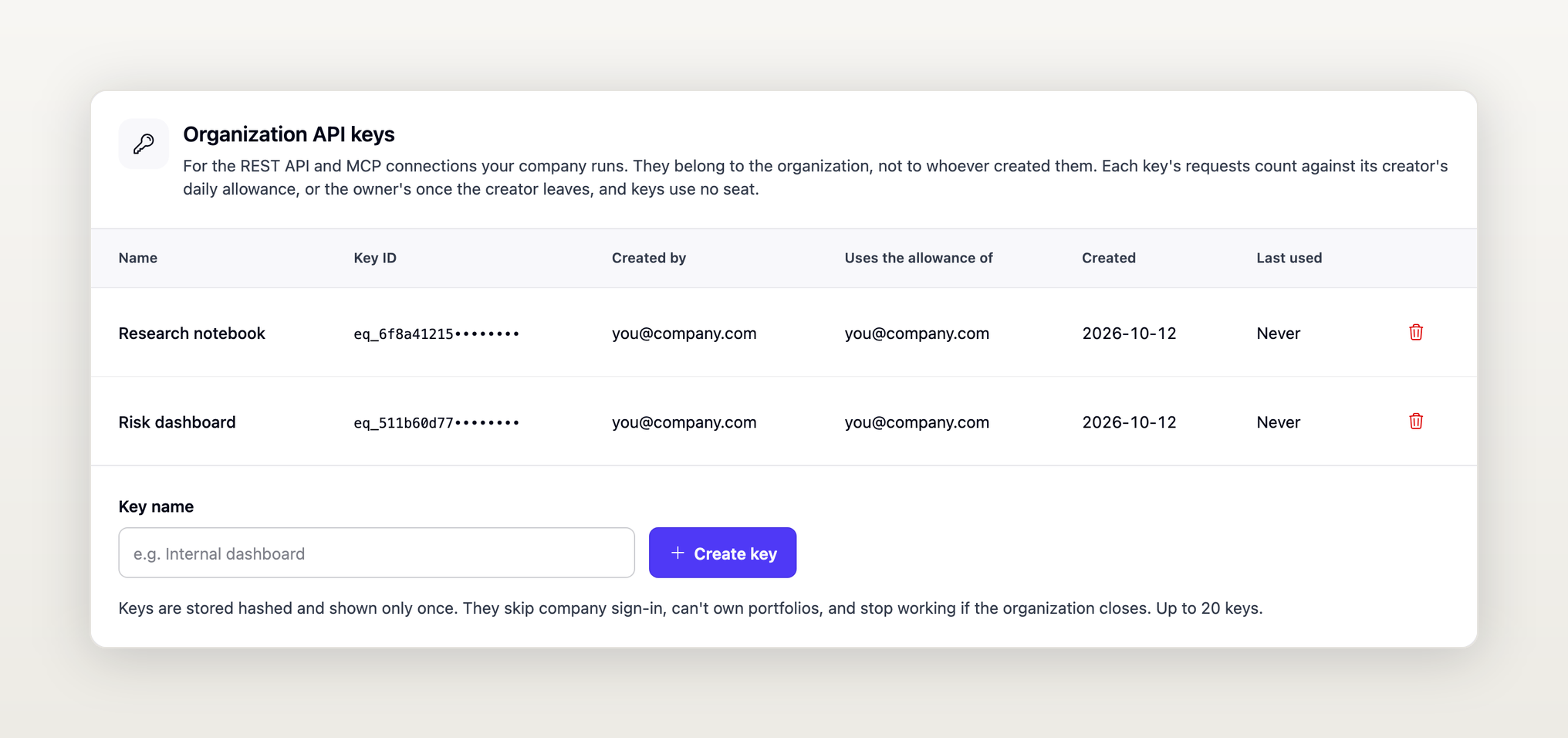
Up to 20 API keys can belong to the organization instead of a person, so integrations keep working when people move on. Requests use the creator's daily allowance, then the owner's once the creator leaves, and the keys reach only portfolios shared with the organization.
A new portfolio dashboard
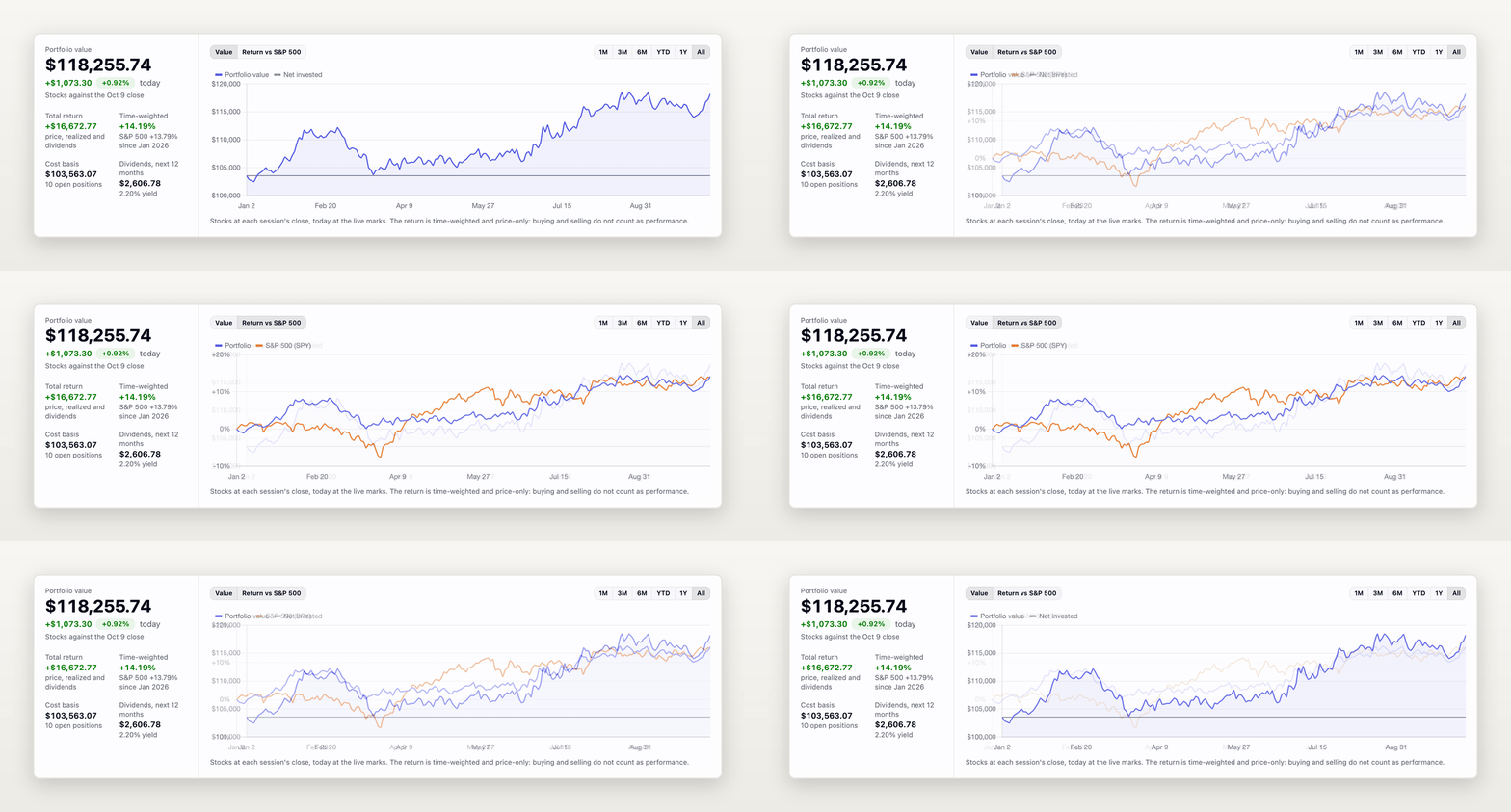
Every portfolio now opens on its value, total return and time-weighted return against the S&P 500, with its cost basis and the dividends expected over the next 12 months. Prices refresh about every minute while the page is open.
Dividends received and still to come
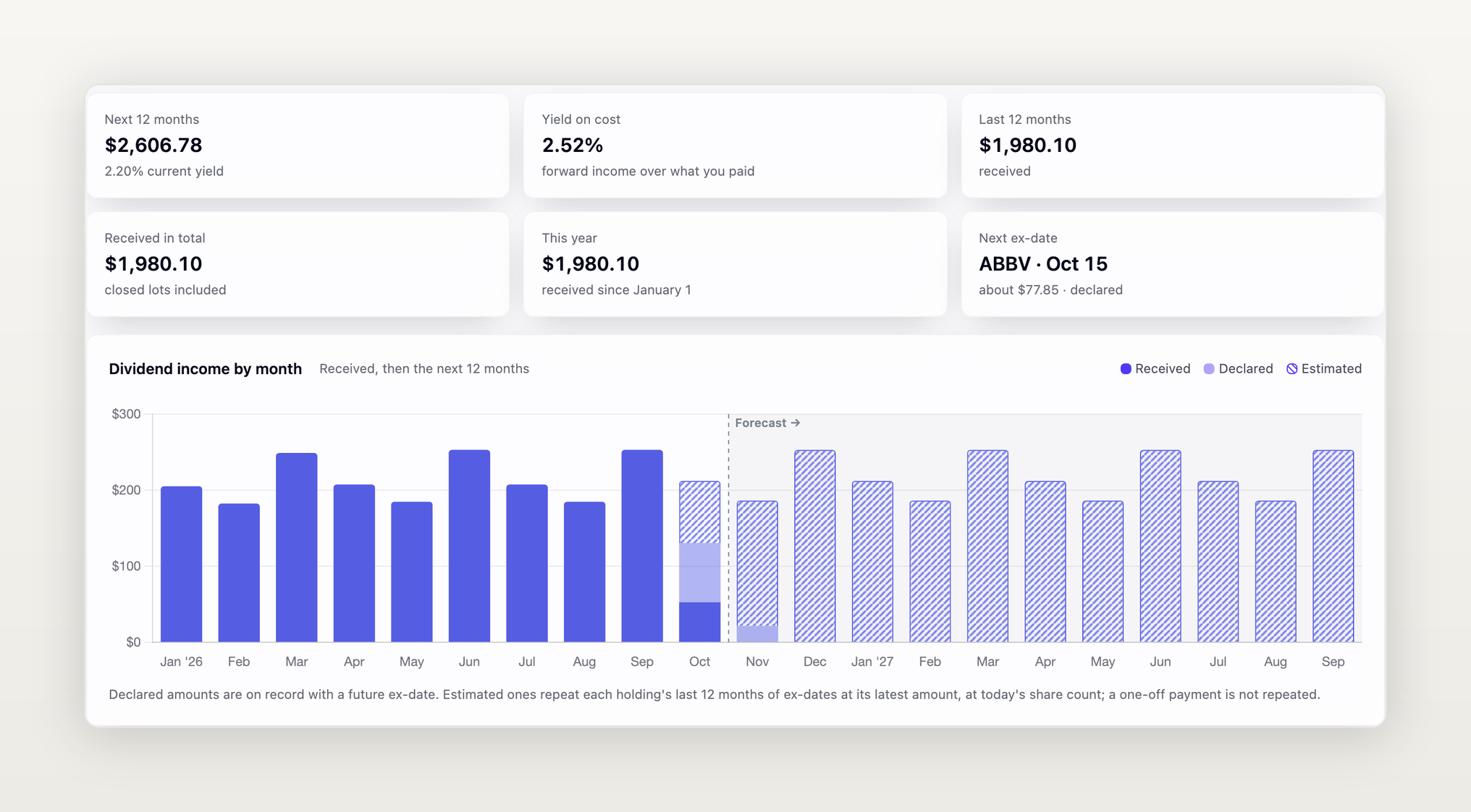
The Dividends section charts your income by month, received, declared and estimated, and breaks it down by year and by holding, with your yield on cost and the next ex-date.
Also new
- Option premiums: when you add an option to a portfolio, the contract finder shows each contract's premium, in real time on Pro and 15 minutes delayed on Plus.
- Portfolios on your phone: portfolios and option cards have a layout made for phones.
- Billing details on invoices: checkout asks for a billing address and, where your country supports it, your company's tax ID.
What should we add next?
If your team needs something that is not here yet, tell us.