
There are three ways to connect ChatGPT to the Equibles MCP server:
- Install from the plugin directory: the quickest path. Install it in ChatGPT and sign in to Equibles; there is no key to manage.
- Add it as a custom MCP server: the same server, added by URL. Use it when you can't install from the directory.
- Use an API key: a custom MCP server that sends your key instead of signing in.
On ChatGPT Business, Enterprise or Edu, workspace owners and admins decide which plugins members can use; see On ChatGPT Business or Enterprise.
Install from the plugin directory
Sign in at chatgpt.com, then open the Equibles plugin. You can also open Plugins in the sidebar and search for "Equibles".
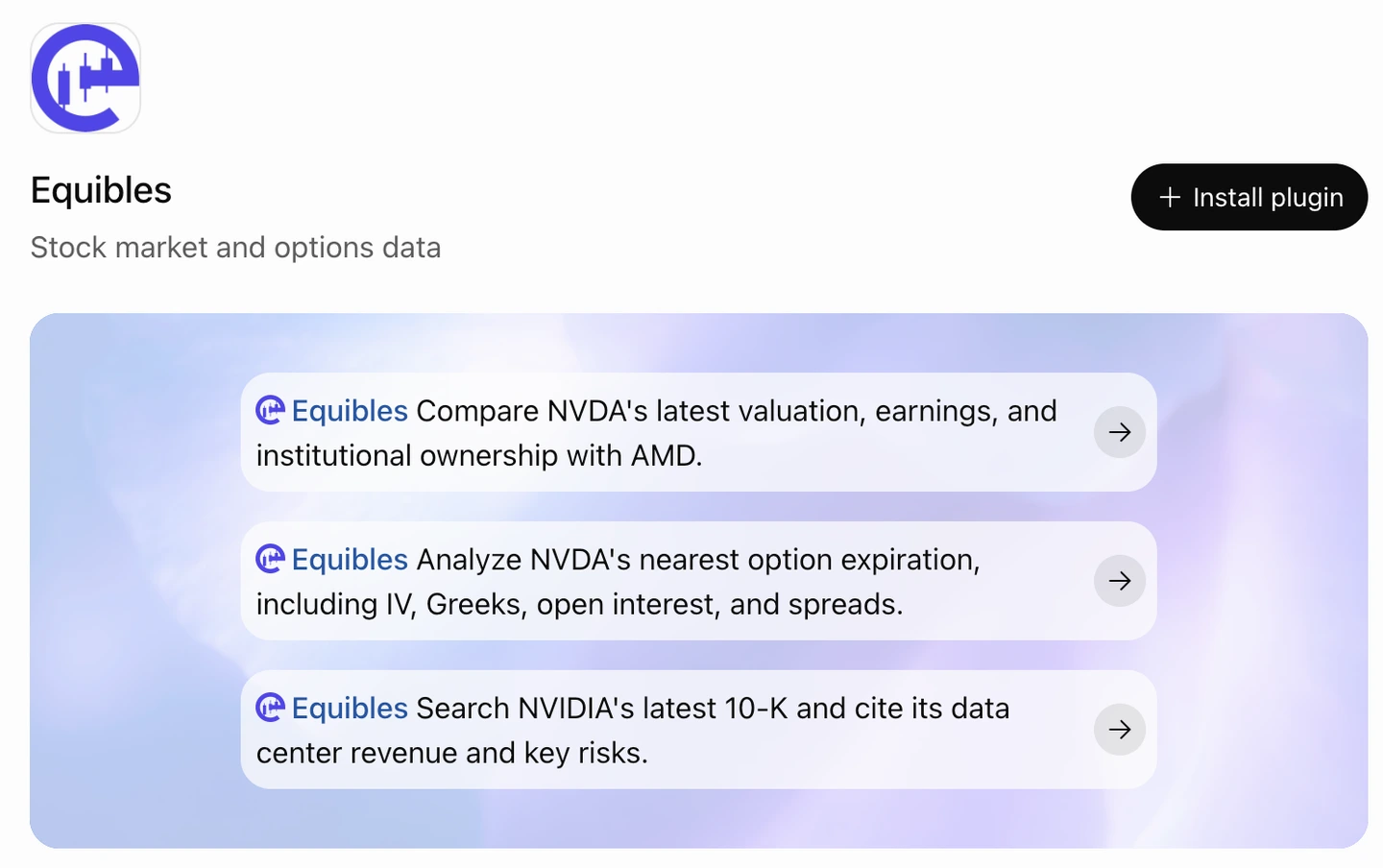
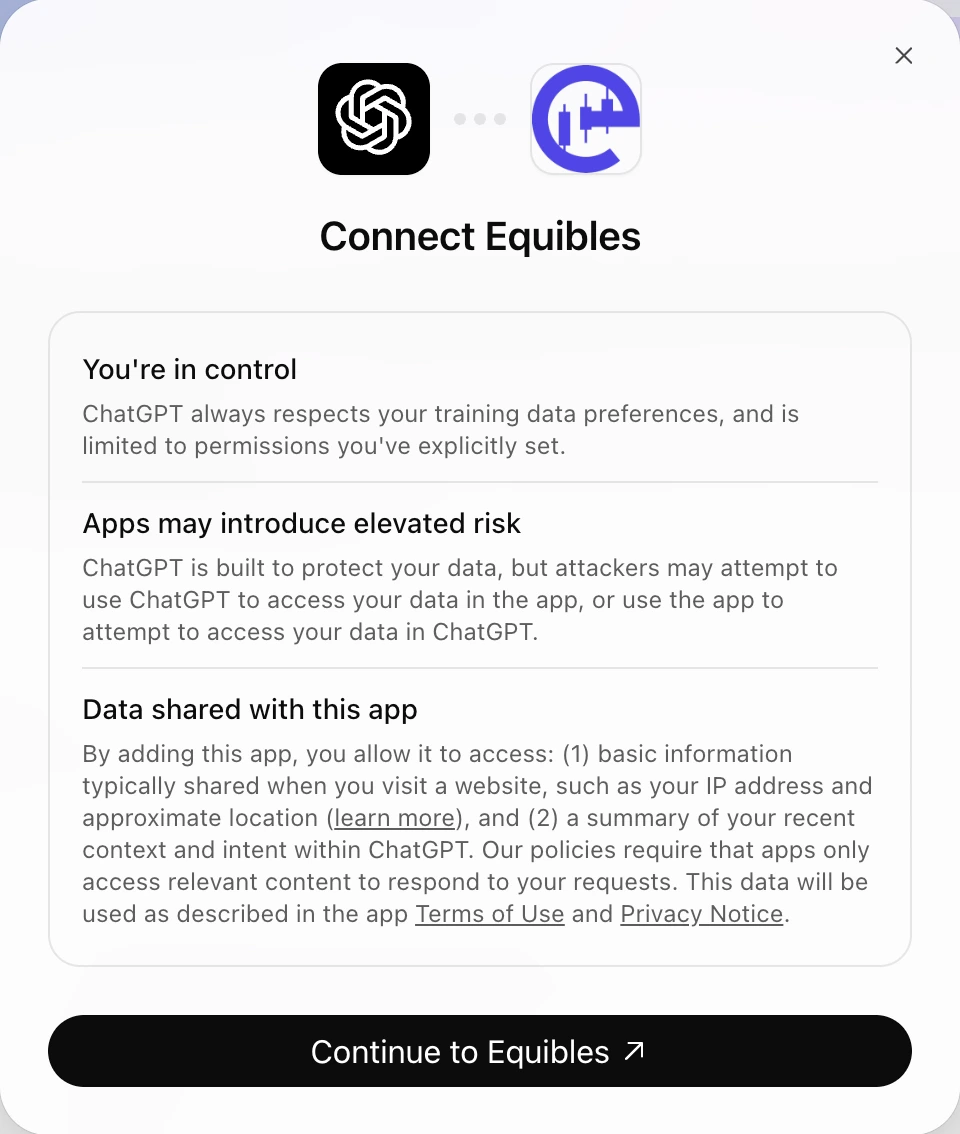
Click Install plugin. ChatGPT shows Connect Equibles, with what the plugin can access; click Continue to Equibles.
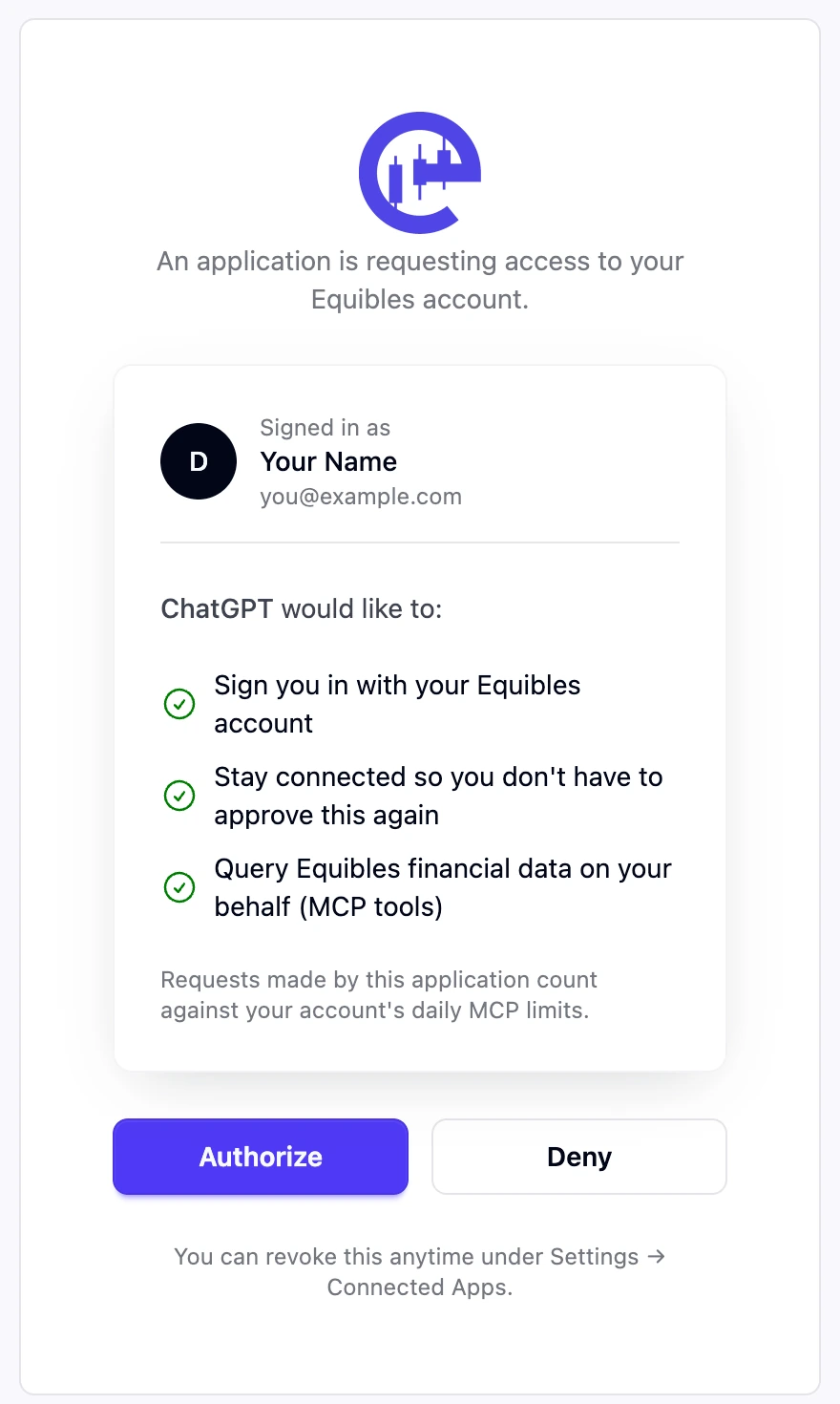
Sign in to Equibles if asked, then click Authorize. ChatGPT holds a short-lived OAuth token that refreshes itself; there is no key to copy.
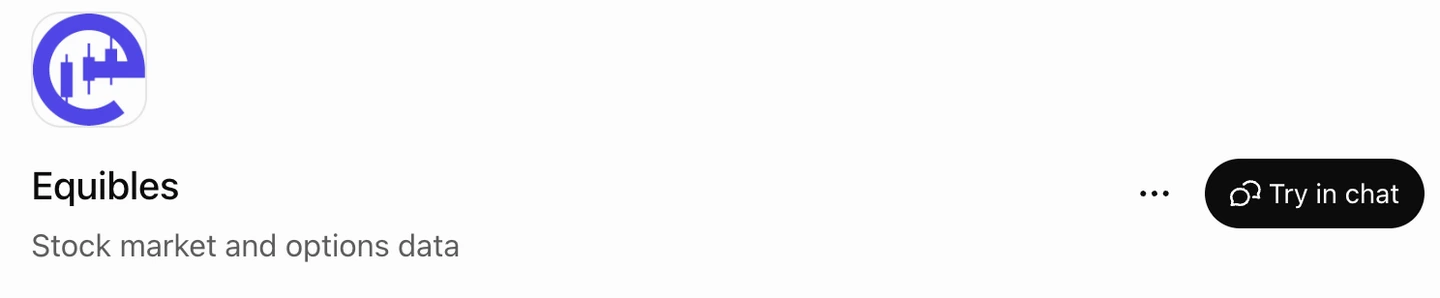
Once it's installed, the button on the plugin page changes to Try in chat.
Add it as a custom MCP server
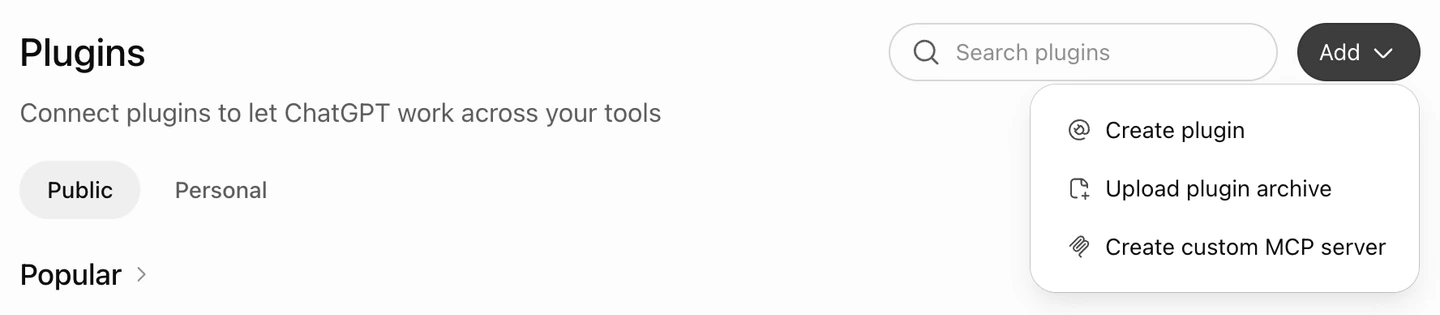
Open Plugins from the left sidebar (or go to chatgpt.com/plugins), click Add, then Create custom MCP server.
Fill in the dialog:
- Name:
Equibles - Description (optional): e.g.
SEC filings, 13F holdings, insider trades and fundamentals - Connection: leave Server URL selected and paste:
https://mcp.equibles.com/mcp - Authentication: OAuth. ChatGPT discovers the rest; you don't need Advanced OAuth settings.
- Tick I understand and want to continue, then click Create as a plugin.
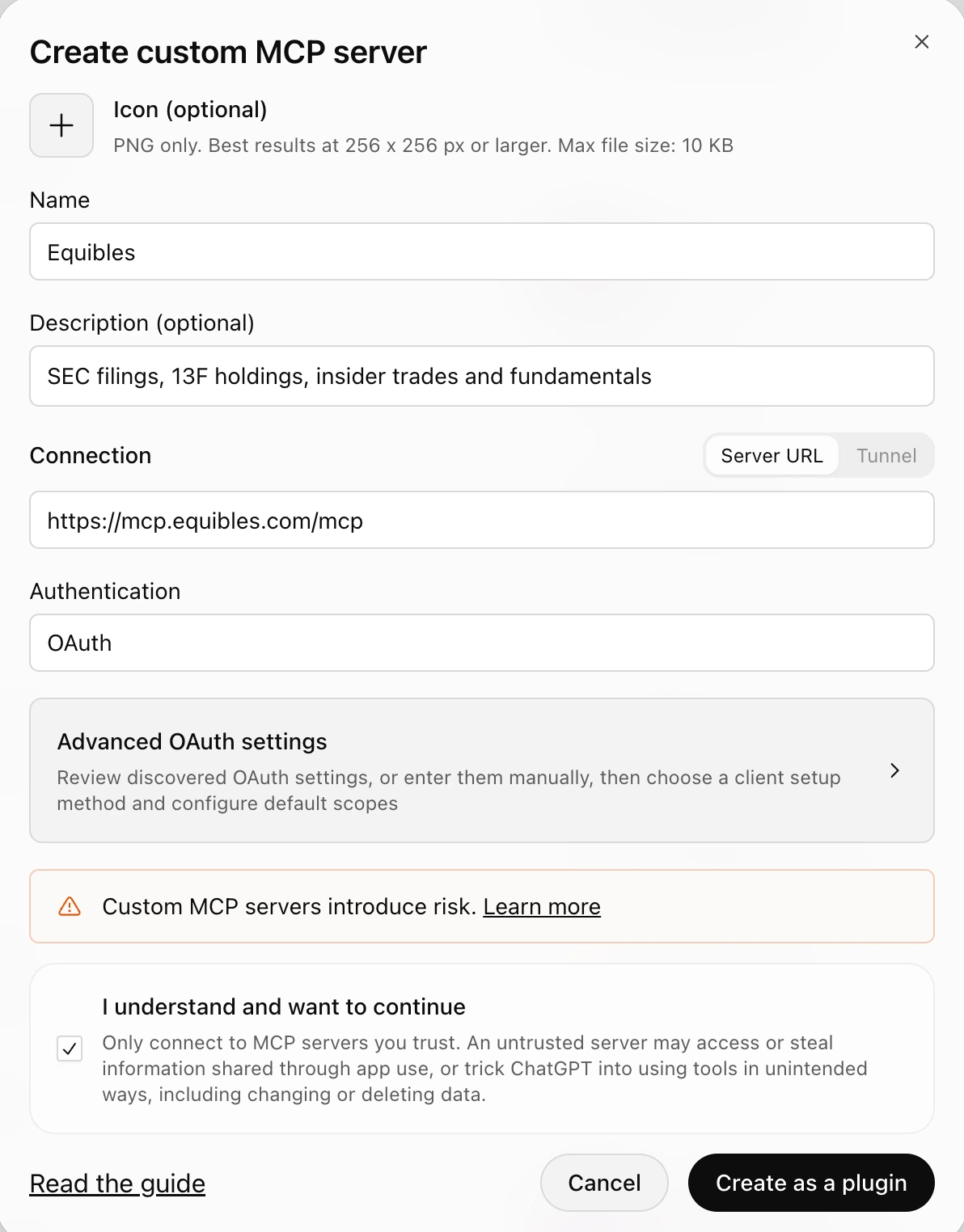
ChatGPT may show its own confirmation first, then opens Equibles: sign in and click Authorize, the same consent screen as in the directory install.
ChatGPT asks you to confirm that custom MCP servers introduce risk. Only add servers you trust.
Use an API key
The directory plugin always signs in over OAuth; it has no field for a key. To connect with a key, add Equibles as a custom MCP server with two changes:
- Connection: paste a URL carrying your key from /dashboard/apikeys:
https://mcp.equibles.com/mcp?api_key=eq_your_api_key - Authentication: No authentication.
There is no sign-in step; the key authenticates every request. A key in a URL can end up in logs and browser history, so treat this plugin's settings as a secret and rotate the key if it leaks. See Authentication for details.
On ChatGPT Business or Enterprise
In a Business, Enterprise or Edu workspace, owners and admins control plugins and custom MCP servers, and each member signs in to Equibles with their own account, so each person's plan and limits apply to their own requests. To give colleagues Equibles Pro on one subscription, see Organizations. These steps follow OpenAI's article on plugins in ChatGPT.
Directory plugin. Workspace owners and admins decide which directory plugins members can use. If the Equibles plugin isn't available to you, ask an admin to allow it, then install it as above.
Custom MCP server for the workspace. One person adds Equibles and shares it with the workspace:
- Check that their workspace role has Create plugins with MCPs (off by default on Enterprise), Share plugins, and, to list it in the workspace directory, Publish plugins to workspace.
- They add Equibles as a custom MCP server with OAuth authentication. A new plugin starts private.
- From the ••• menu on Equibles, they choose Share plugin, set Who has access to Anyone in this workspace with the link or Visible in workspace directory, and click Save.
Use the plain URL for a shared plugin, never the ?api_key= URL: a key would run every member's requests on one person's account.
Each member then finds Equibles under Your workspace in the plugin directory, or opens the link shared with them, clicks Install plugin if shown, and signs in to Equibles.
Workspaces that still use apps instead of plugins follow OpenAI's article on developer mode and MCP apps instead.
Turn it on in the chat
Connecting the plugin is not enough on its own. ChatGPT only calls Equibles when the plugin is selected for that conversation.
Try in chat on the plugin page opens a new chat with Equibles already selected and a sample question drafted:

In any other chat, click + in the composer and pick Equibles.
You can also just ask for it by name, "using Equibles, ...", which is the quicker habit and works even if you forget the + menu.
If you do neither, ChatGPT answers from its training data or from a web search, so you get numbers with no filing behind them instead of the sourced data you connected it for.
Test it
Ask any of these:
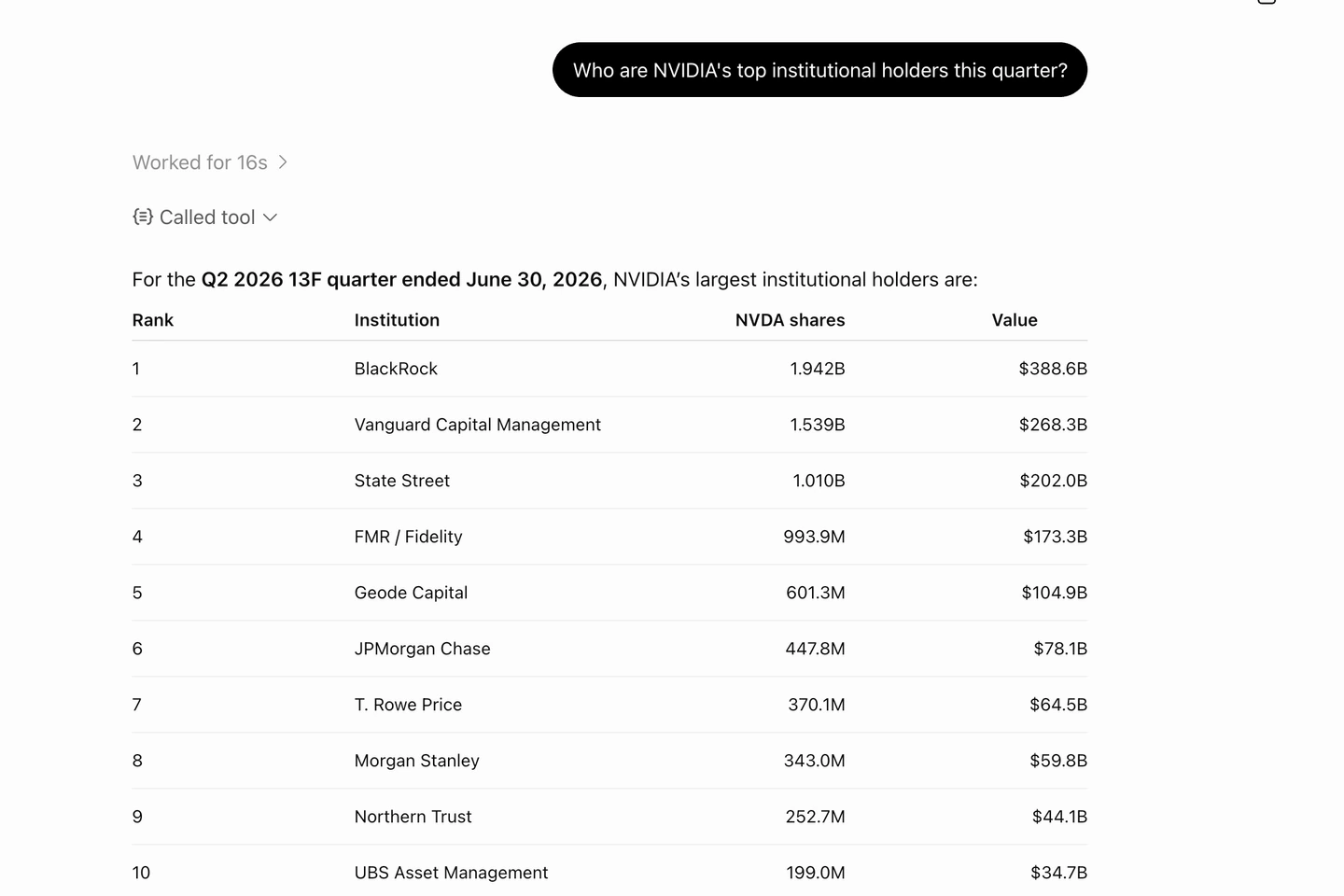
A real answer cites the tool it called:
Troubleshooting
Connected but requests fail? See shared connection troubleshooting for OAuth sign-in and API-key errors. Keep the setup URL above if your connection works.
No Create custom MCP server option?
Not every ChatGPT plan can add custom MCP servers, and in a Business or Enterprise workspace your role needs permission. Install from the plugin directory instead, or ask a workspace admin to publish Equibles to the workspace.
Two Equibles entries in the + menu?
You added Equibles as a custom MCP server before installing it from the directory. Pick the entry installed from the Equibles directory listing, with the Equibles logo. To remove the custom one, open it under Plugins, click the ••• menu beside its main button, then Uninstall.
Plugin not appearing in a chat?
Reload ChatGPT and pick Equibles from the composer's + menu for that conversation. If the Equibles plugin page shows Install plugin instead of Try in chat, install it again.
ChatGPT answers without Equibles data?
If the numbers look plausible but no tool call is shown, it's answering from training data or from a web search. Select Equibles in the composer's + menu for that conversation, and start the prompt with "using Equibles, ...". A connected plugin is not automatically active in a chat.
Access denied?
Open the Equibles plugin, find your account under Connected accounts, open its ••• menu and click Reconnect. If you're using a key, use the full key you copied when you created it, not the shortened prefix the dashboard lists later. If you no longer have it, create a new one at /dashboard/apikeys. If you're over your daily limit, see Plans & limits.