
There are three ways to connect Claude on claude.ai to the Equibles MCP server:
- Install from the connector directory: the quickest path. Equibles is listed in Claude's connector directory; connect it and sign in to Equibles, with no key to manage.
- Add it as a custom connector: the same server, added by URL. Use it when you can't install from the directory.
- Use an API key: a custom connector that sends your key instead of signing in.
On Claude Team or Enterprise, an Owner enables Equibles for the organization first; see On Claude Team or Enterprise.
Once connected, Claude can search and read SEC filings, pull 13F institutional holdings, and fetch insider and congressional trades, short interest, prices, fundamentals, earnings-call transcripts and FRED series, each figure cited to its source. It is free to start with no credit card.
Install from the connector directory
Sign in at claude.ai, then open the Equibles connector. Inside Claude, you can also find it under Customize → Connectors: switch to Discover and search for "Equibles".

On the connector page, click Connect to Claude. Claude sends you to Equibles: sign in if asked, check the account shown under Signed in as, then click Authorize.
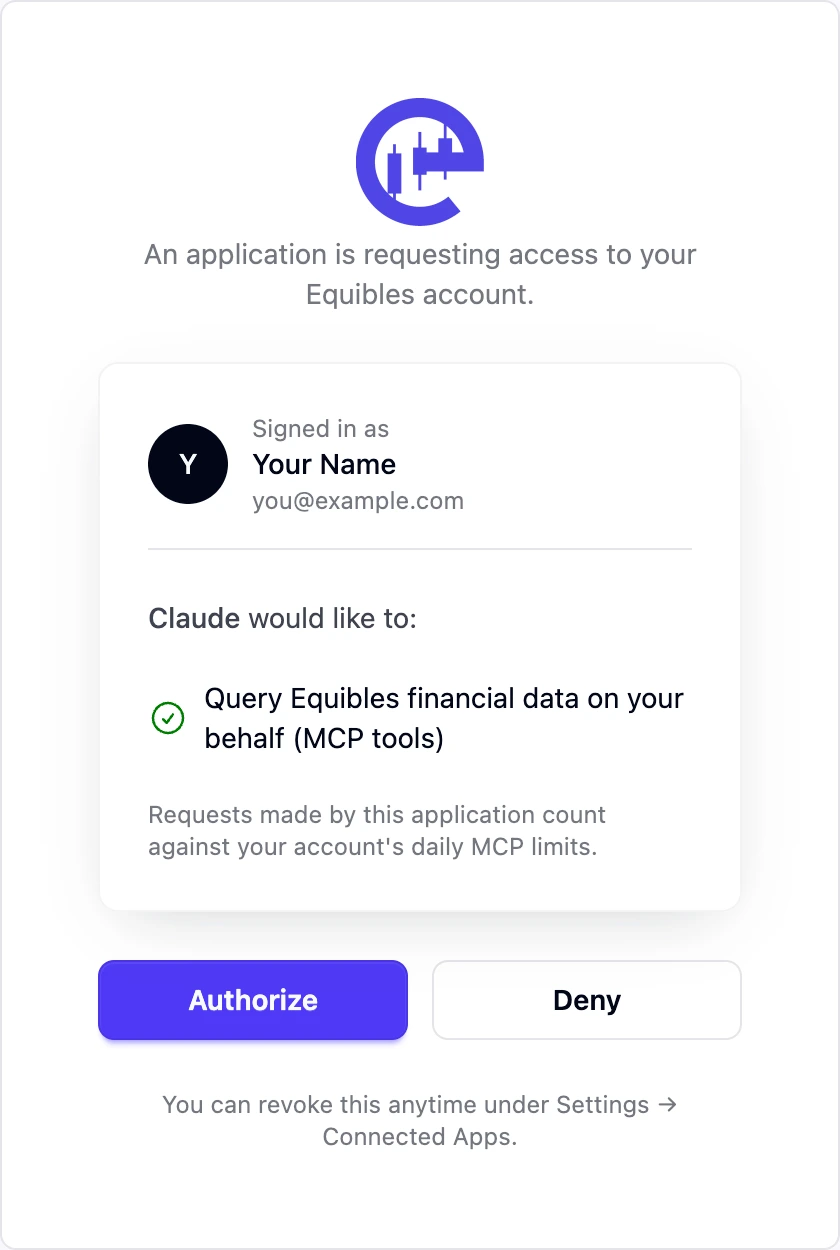
Claude holds a short-lived OAuth token that refreshes itself, so there is no key to copy. Back on the connector page, the button changes to Connected. You can revoke access any time under Connected Apps.

Once connected on claude.ai, Equibles is also available in the Claude mobile apps the next time you sign in there.
Add it as a custom connector
Sign in at claude.ai, click Customize in the left sidebar, then open the Connectors tab.

Custom connectors are available on every plan (Free, Pro, Max, Team and Enterprise), with Free limited to one. On Team and Enterprise, an Owner adds Equibles once for the whole organization and each member then connects their own account; see On Claude Team or Enterprise.
Click Add at the top right, choose Add custom connector, and fill in the dialog:
- Name:
Equibles - Remote MCP server URL:
https://mcp.equibles.com/mcp - Click Continue.
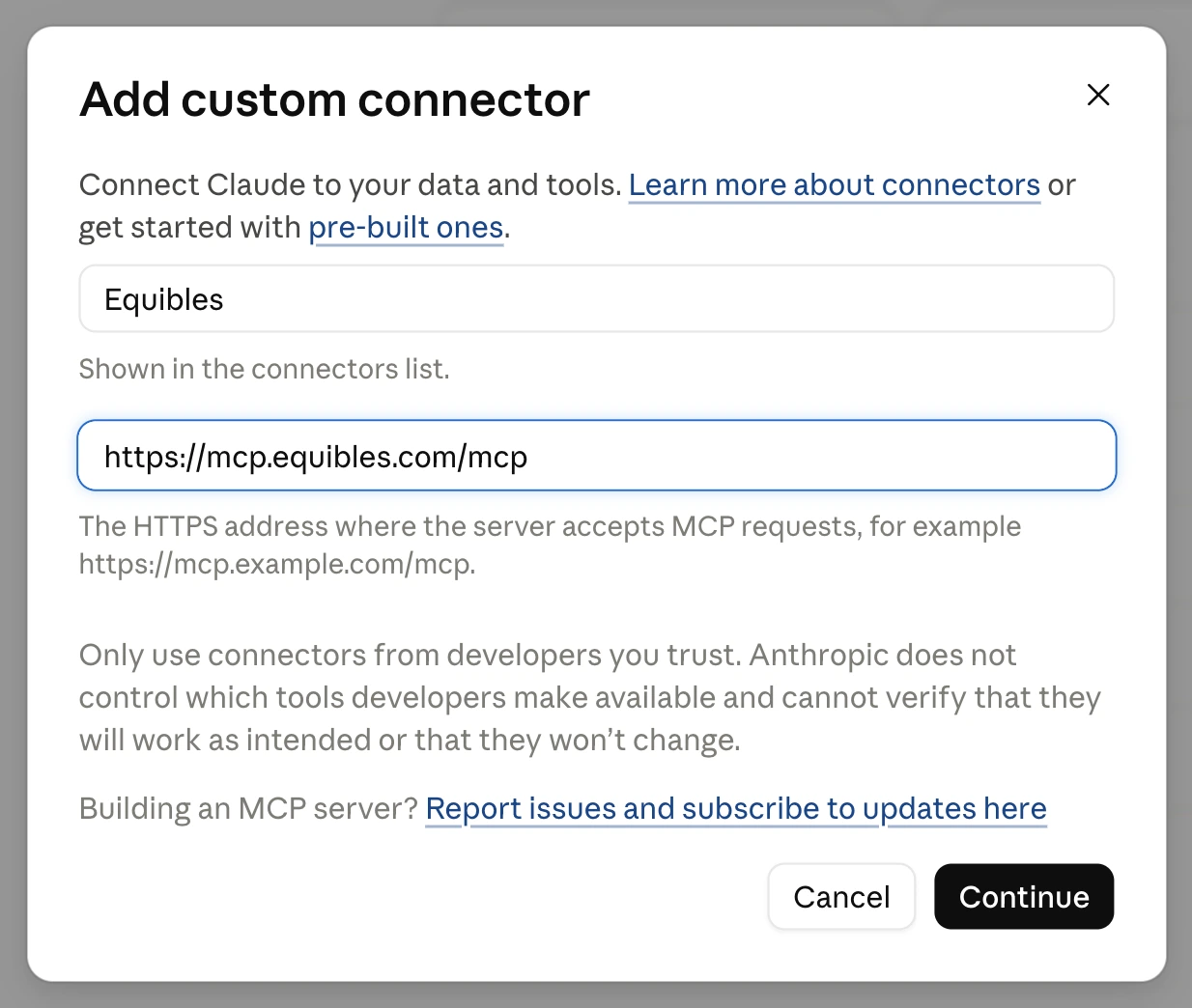
The dialog's second step shows the authentication settings Claude read from the server. Leave them as they are and click Add.
Claude then shows the same Equibles authorization screen as the directory install, either as you finish adding the connector or the first time Claude actually calls an Equibles tool. Sign in if asked, check the account under Signed in as and click Authorize. Equibles then shows as Connected in your connectors list.
Use an API key
The directory connector always signs in over OAuth; it has no field for a key. To connect with a key, add Equibles as a custom connector and paste this server URL instead, with your key from /dashboard/apikeys:
https://mcp.equibles.com/mcp?api_key=eq_your_api_key
Everything else works the same way, and Claude never sends you to the authorization screen. A key in a URL can end up in logs and browser history, so rotate the key if it leaks. See Authentication for details.
Turn it on in the chat
Connecting the server is not enough on its own. Claude only calls Equibles when the connector is switched on for that conversation, so do this in every new chat: click + in the composer, open Connectors, and switch Equibles on.
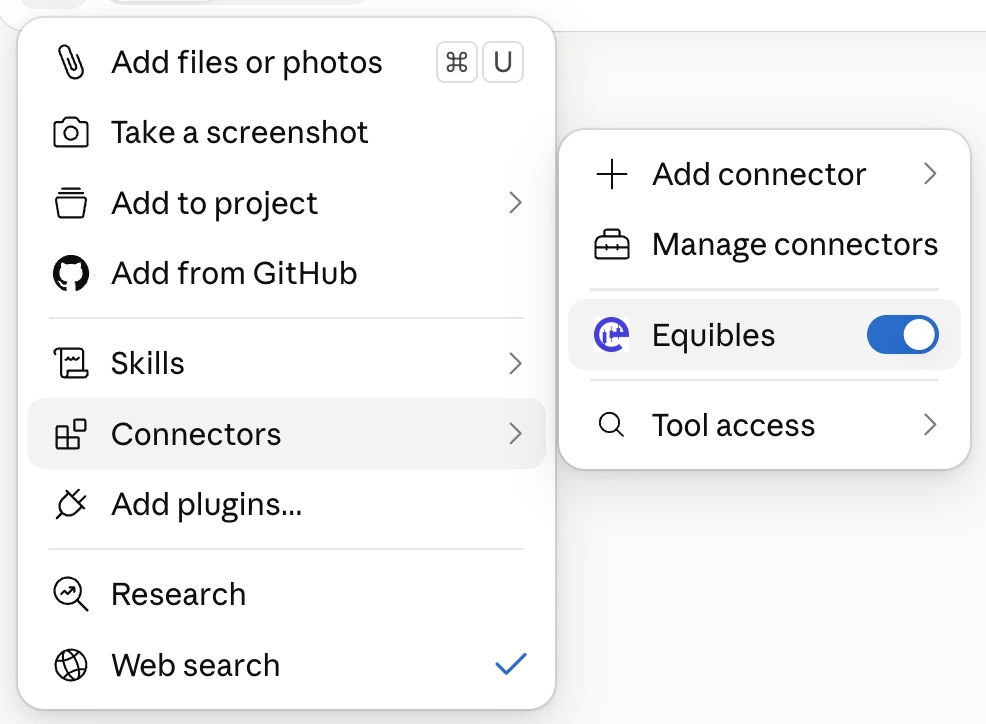
You can also just ask for it by name, "using Equibles, ...", which is the quicker habit and works even if you forget the + menu.
If you do neither, Claude answers from memory or from its own web search, so you get numbers with no filing behind them instead of the sourced data you connected it for.
Test it
Ask any of these:
The first time Claude reaches for an Equibles tool it asks for permission. Allow once answers the current question, Always allow stops Claude asking for that tool again. Each tool asks separately the first time it is used, so expect a few prompts early on and almost none later.
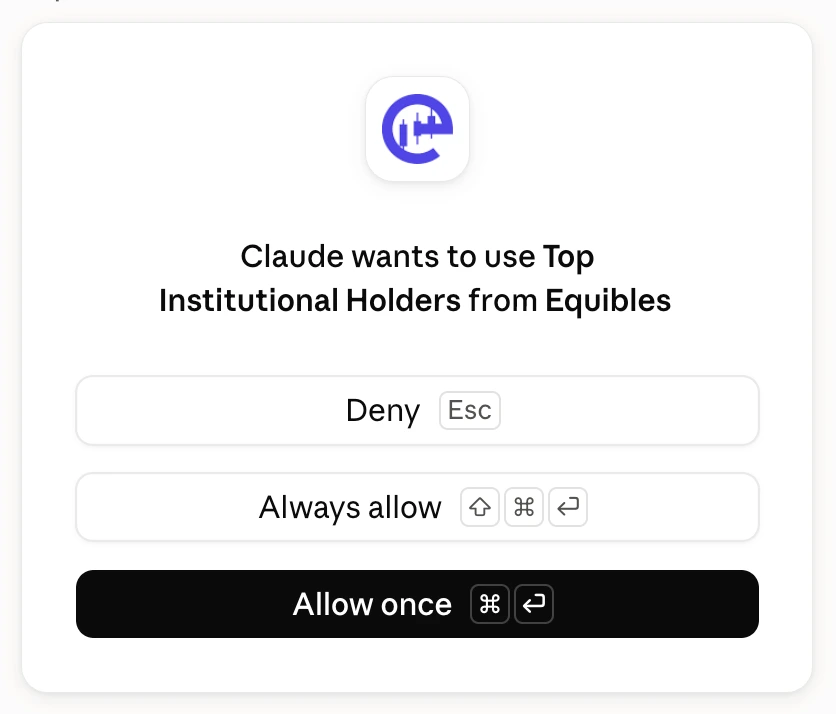
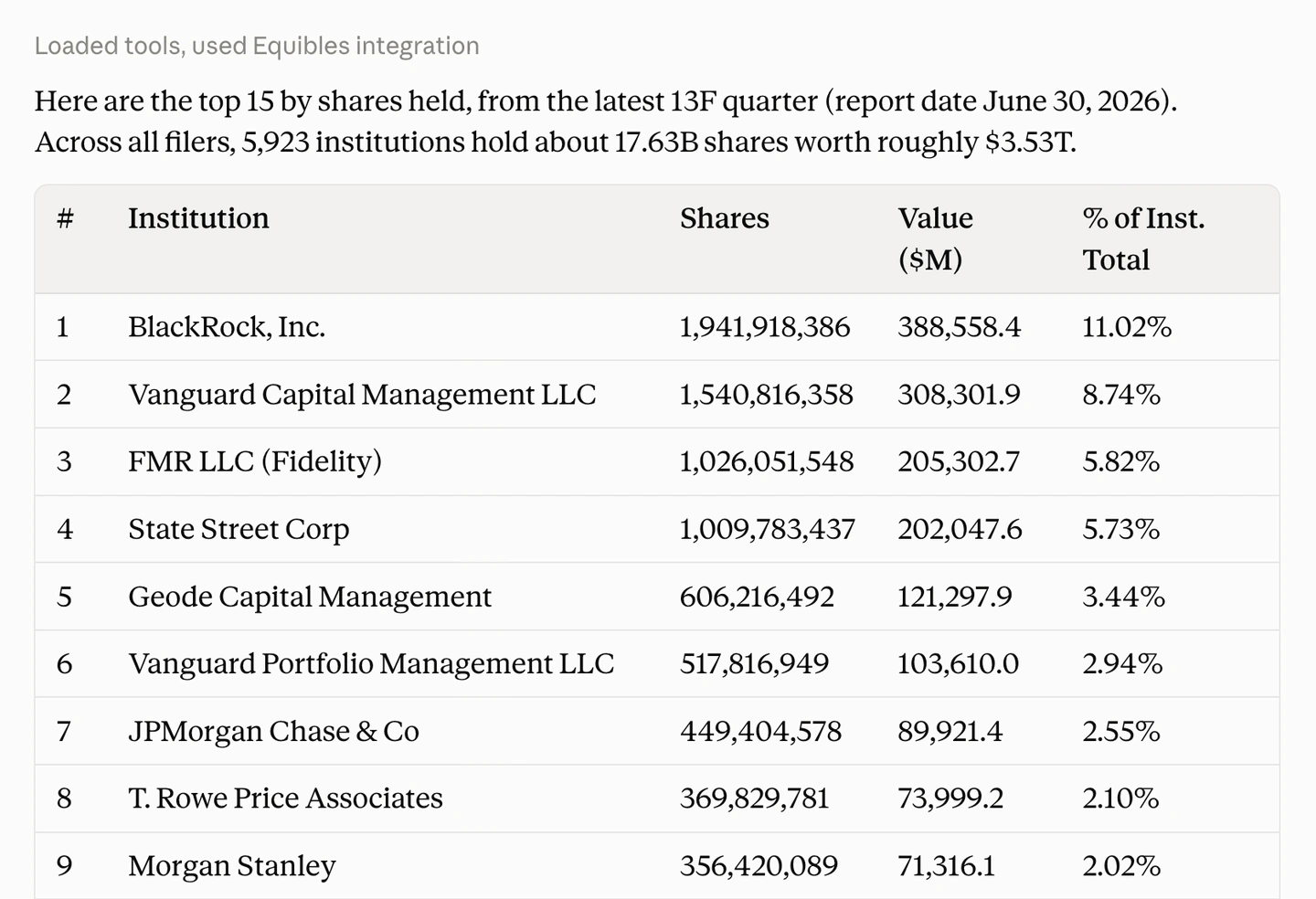
A real answer says which connector it used:
On Claude Team or Enterprise
On Team and Enterprise plans, an Owner enables Equibles once for the organization, then each member connects with their own Equibles account, so each person's plan and limits apply to their own requests. To give colleagues Equibles Pro on one subscription, see Organizations.
From the connector directory. An Owner or Primary Owner opens Organization settings → Connectors, clicks Browse connectors at the bottom of the page, selects Equibles and clicks Add to your team. Enabling it doesn't connect anyone: each member then connects and authorizes their own Equibles account. These steps follow Anthropic's article on connectors.
As a custom connector. These steps follow Anthropic's article on custom connectors. Owners can add it; on Enterprise, so can a member whose custom role includes Manage access to Libraries. Anyone else asks an Owner.
- Open Organization settings → Connectors.
- Click Add, then Custom. If Claude asks for the connector type, choose Web.
- Enter the name
Equiblesand the server URL:https://mcp.equibles.com/mcp - Click Continue. For Authentication, choose Sign in when needed, never No sign-in. For OAuth client, choose Register automatically, then click Continue again. If your dialog shows Advanced settings on one screen instead, leave them empty.
- Click Add.
Use the plain URL above for an organization connector, never the ?api_key= URL: a key would run every member's requests on one person's account.
Each member then opens Customize → Connectors, finds Equibles and clicks Connect. Claude sends them to Equibles to sign in and click Authorize, either right away or at their first Equibles request in a chat.
Members still switch Equibles on in each chat, as in Turn it on in the chat. Owners can also set each Equibles tool to Always allow, Needs approval or Blocked for everyone in the organization; see Anthropic's article on connectors.
Troubleshooting
Connected but requests fail? See shared connection troubleshooting for OAuth sign-in and API-key errors. Keep the setup URL above if your connection works.
Connector not appearing in a chat?
Reload the page and confirm Equibles is switched on for that conversation under the composer's + menu, then Connectors. If it is missing from the list, connect it again from the connector directory.
"A connector with this URL already exists"?
Equibles is already added to your account or organization, so Claude will not add it twice. Close the dialog and switch the existing Equibles connector on for your chat instead, as in Turn it on in the chat.
Claude answers without Equibles data?
If the numbers look plausible but no tool call is shown, it answered from memory or from its own web search. Switch Equibles on for that conversation, then re-ask starting with "using Equibles, ...". A connector that is connected under Customize is not automatically active in a chat.
Access denied?
Re-approve the connector under Customize → Connectors. If you are using a key, use the full key you copied when you created it, not the shortened prefix the dashboard lists later. If you no longer have it, create a new one at /dashboard/apikeys. If you are over your daily limit, see Plans & limits.